BearPDF
BearPDF is a PDF finishing tool for people who sell digital products, and it runs in your browser. In one pass you can merge your pages together, stamp on a watermark that can’t be stripped out, flatten the pages so buyers can’t easily edit or lift your content, shrink the file to fit upload limits, and encrypt it.
Everything happens on your own computer. Your files are not uploaded, and nothing is stored on a server. There is nothing to install.
Try it in your browser
The demo is fully functional on files up to 5 pages, so you can run a real document through the whole pipeline before you buy.
Try the DemoBuy License - $59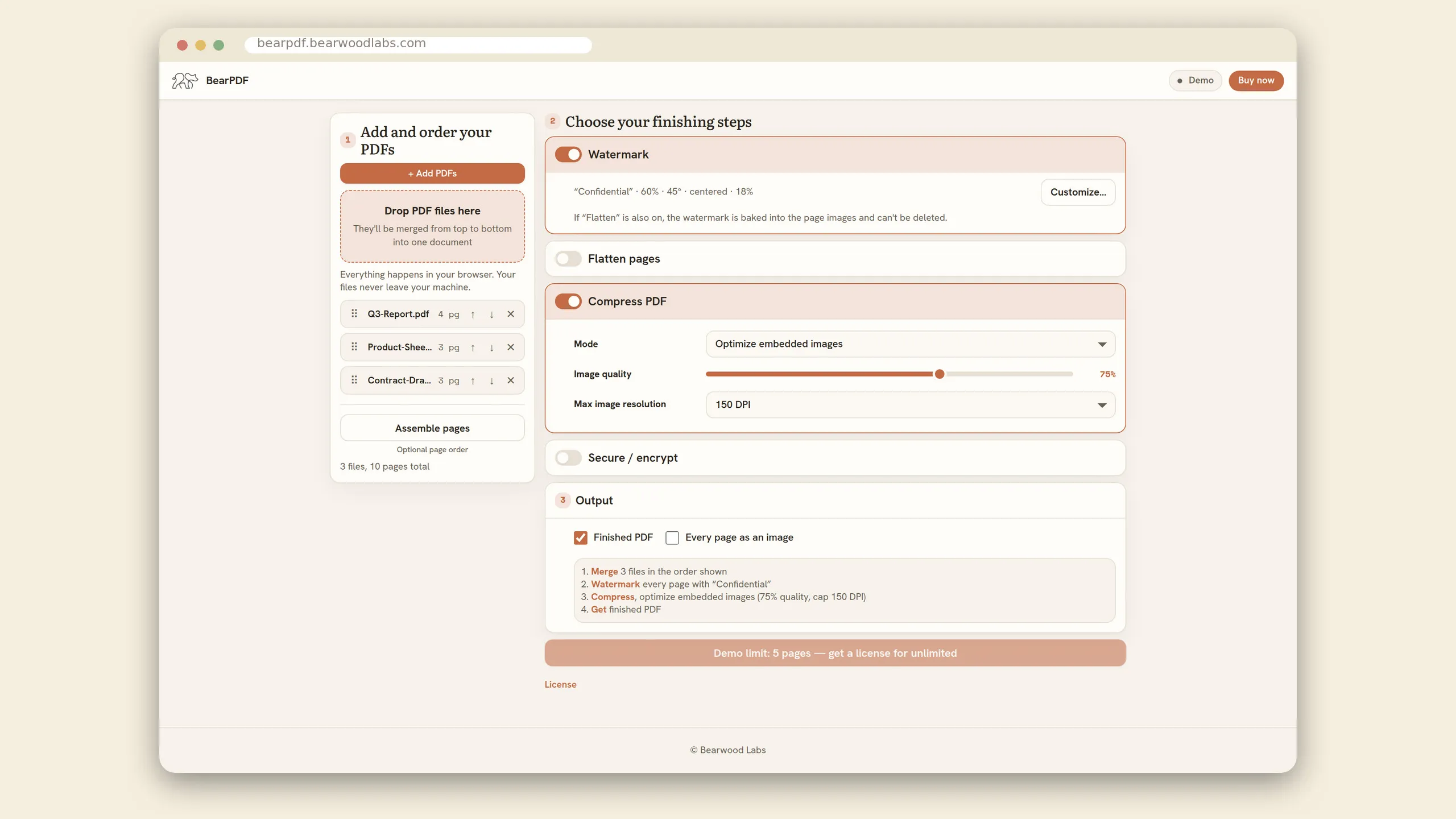
Who it’s for
BearPDF is built for TPT sellers and other digital product creators who want their finished PDFs to be small and hard to copy:
- Combine cover pages, terms, and content into one clean download
- Watermark with your text or logo, placed where you want or tiled, baked in when you flatten
- Add an invisible marker to trace a leaked copy back to the buyer
- Flatten pages to images so buyers can’t easily edit your work or extract the text
- Compress oversized files down to fit marketplace upload limits
- Encrypt the final PDF with a password and lock down printing, copying, and editing
It doesn’t matter what you design in. If you make your resources in Canva, Google Slides, or Keynote, export a PDF the way you always do and finish it here. Flattening and securing your work used to mean going through PowerPoint. Now any PDF can get the same treatment.
The pipeline
BearPDF runs your document through one ordered pipeline. Turn on the steps you need and skip the rest.
Merge. Drop in one or more PDFs and combine them into a single document, in whatever order you like.
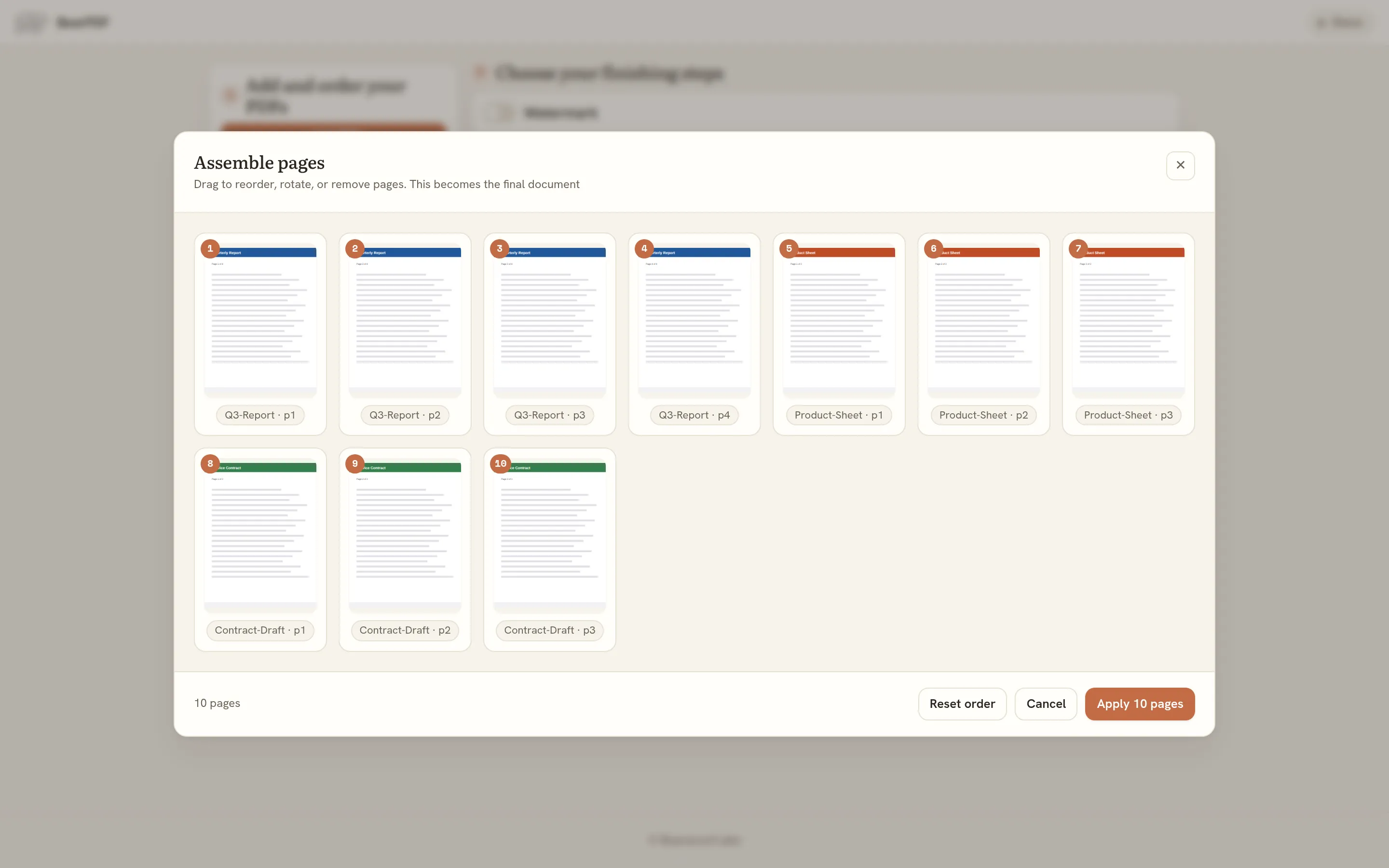
Assemble pages (optional). Open a thumbnail grid covering every page you dropped in, then drag to reorder, rotate, or remove pages before anything else runs.
Watermark. Add your text or a logo, place it in any corner, edge, or center, or tile it across the page, with a live preview on your real page. If you also flatten, it bakes into the page and can’t be pulled back out.
Invisible marker. Embed a hidden phrase, like a buyer’s order code, into the page text. It stays invisible on the page but is searchable later, so a leaked copy can be traced back to the buyer you sent it to. It survives flattening. This is a proof of origin marker, not encryption.
Flatten. Every page is re-rendered as an image, so the text and layout can’t be selected, copied, or edited. BearPDF picks the encoding for each page on its own, so quality stays up where it needs to and the file stays small. Hyperlinks are kept by default, so clickable links still work.
Compress. Shrink the finished file. You can optimize the embedded images down to a quality and DPI you choose, or just tidy up the PDF structure. This helps when a marketplace caps your upload size.
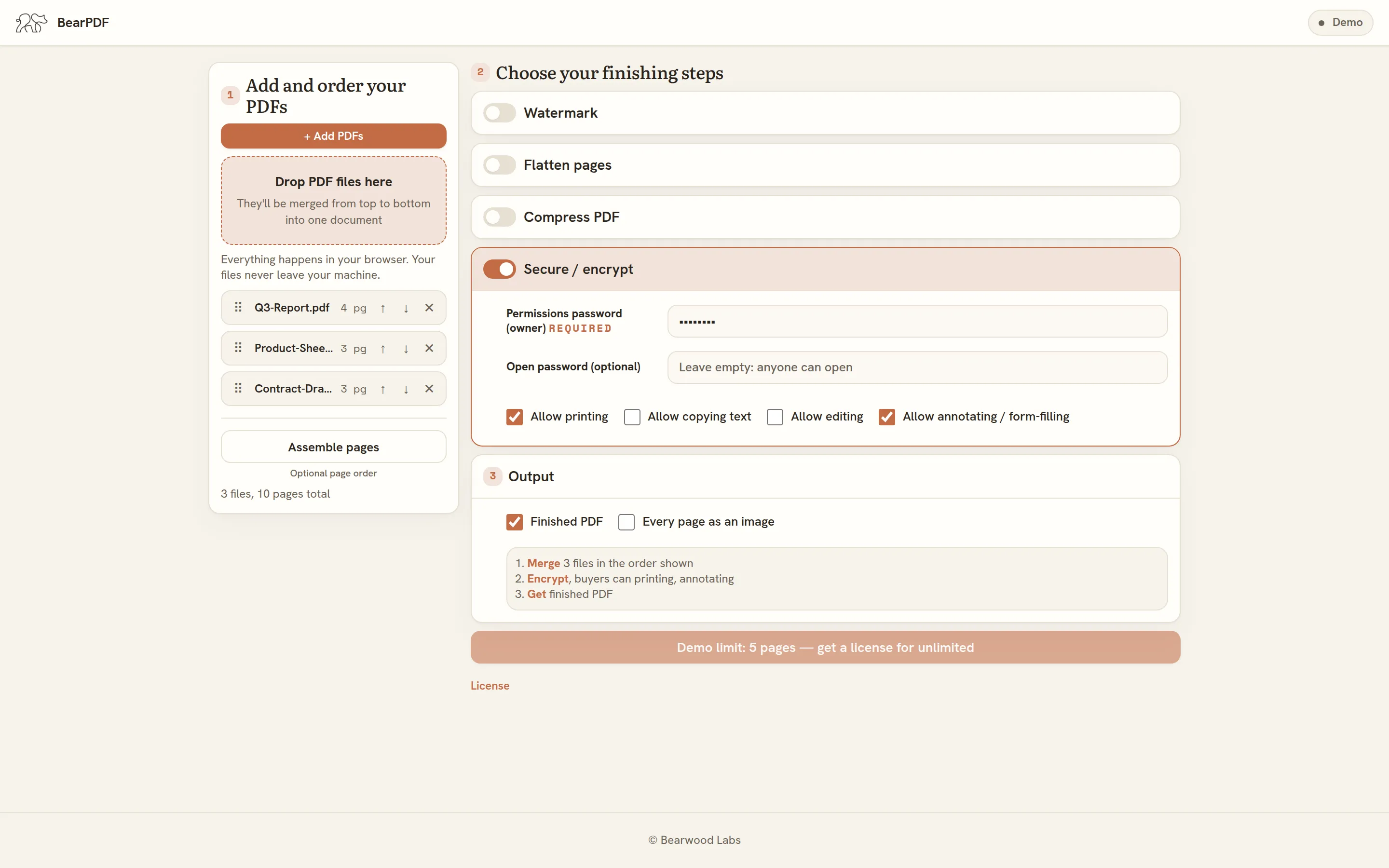
Encrypt. Lock the final PDF with AES encryption. Set an owner and permissions password, add an open password if you want one, and use the permission checkboxes to control printing, copying, editing, and annotating.
You can also export every page as an image alongside the finished PDF.
Your files stay private
Every step happens inside your browser. There is no upload and no server, so your unpublished products never travel across the internet or sit on someone else’s machine. When you close the tab, nothing is left behind.
Try before you buy
BearPDF starts in demo mode. Everything works, but each run is limited to 5 pages. That is enough to push a real document through the full pipeline and see the result. When you’re ready, a license removes the page limit.
Activate it from the license badge (marked Demo) in the top-right of the app. Your license key shows up on the Gumroad receipt page after you buy. Enter it once per device.
FAQ
Do I need to install anything? No. BearPDF runs in your browser. There’s nothing to download or set up.
Do my files get uploaded anywhere? No. All the processing happens in your browser. Your files are never uploaded and nothing is stored on a server.
I design in Canva. Can I use this? Yes. BearPDF works on the exported PDF, so the tool you designed in doesn’t matter. Canva, Google Slides, Keynote, or anything else that saves a PDF.
Will links still work after flattening? Yes. Hyperlinks are preserved by default. You can turn that off if you’d rather drop them.
Can buyers remove my watermark? No. The watermark is applied before the pages are flattened to images, so it’s baked into the page and can’t be stripped out.
Can I tell where a leaked copy came from? You can if you mark each copy before you send it. Put a buyer’s order code in the invisible marker field, and BearPDF embeds that phrase into the text of every page. It is invisible on the page, but it is in the file’s text, so if a copy shows up somewhere it should not, you can search it and read the code that ties it back to the buyer. It is a way to prove where a copy came from, not a lock.
What does the license unlock? The demo is limited to runs of 5 pages. A license removes that limit so you can finish longer documents. You enter one key, once per device.
Where can I get help? See the BearPDF help pages.